The Add Note action in servis.ai makes it easy to automatically attach updates, context, or reminders to records.
You can write plain text, personalize messages with dynamic tags, and use @mentions to notify teammates directly.
Whether you’re addressing a specific person, an entire team like Sales, or someone connected to the record—such as the Contact Owner—this feature ensures the right people stay informed.

How to Set Up the Add Note Action
Name: Enter a name to identify the action.
@mention To: Use @mentions to notify specific users within your servis.ai workspace. This helps draw attention to important updates.
Learn more here.

You can mention users in several ways:
- Select a specific user directly.
- Mention users from fields such as Updated By, Created By, or Contact Owner.
- Mention entire roles (e.g., Sales or Support) to notify everyone assigned to that role.
This flexibility allows you to be precise or broad depending on your needs.
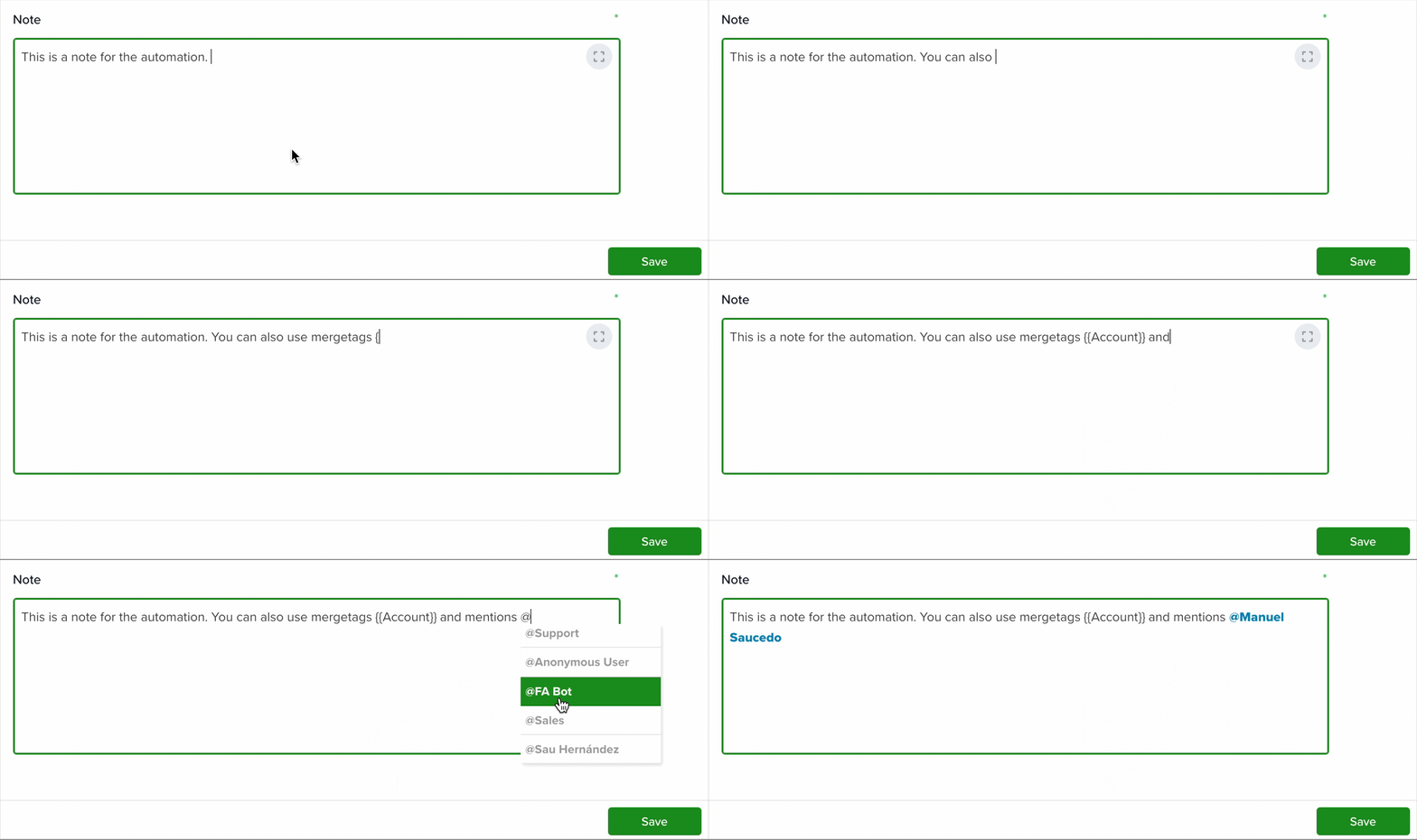
Note: This field is where you write the main content of your note. You can:
- Insert merge tags to personalize your message
- Type @ to quickly mention users directly within the text
Want to learn more about merge tags? Check out this article.
Learn more about automation actions: Read this article.


