By setting a field as “Unique”, you can prevent duplicate record creation and ensure data consistency.
A major advantage is that these fields can be used as references in your Import Files, eliminating the need for manual ID matching and simplifying data management.
Edition Qualifier: This feature is available in all servis.ai editions.
User Permissions: Only Admins can manage fields.
Navigate to Form Fields
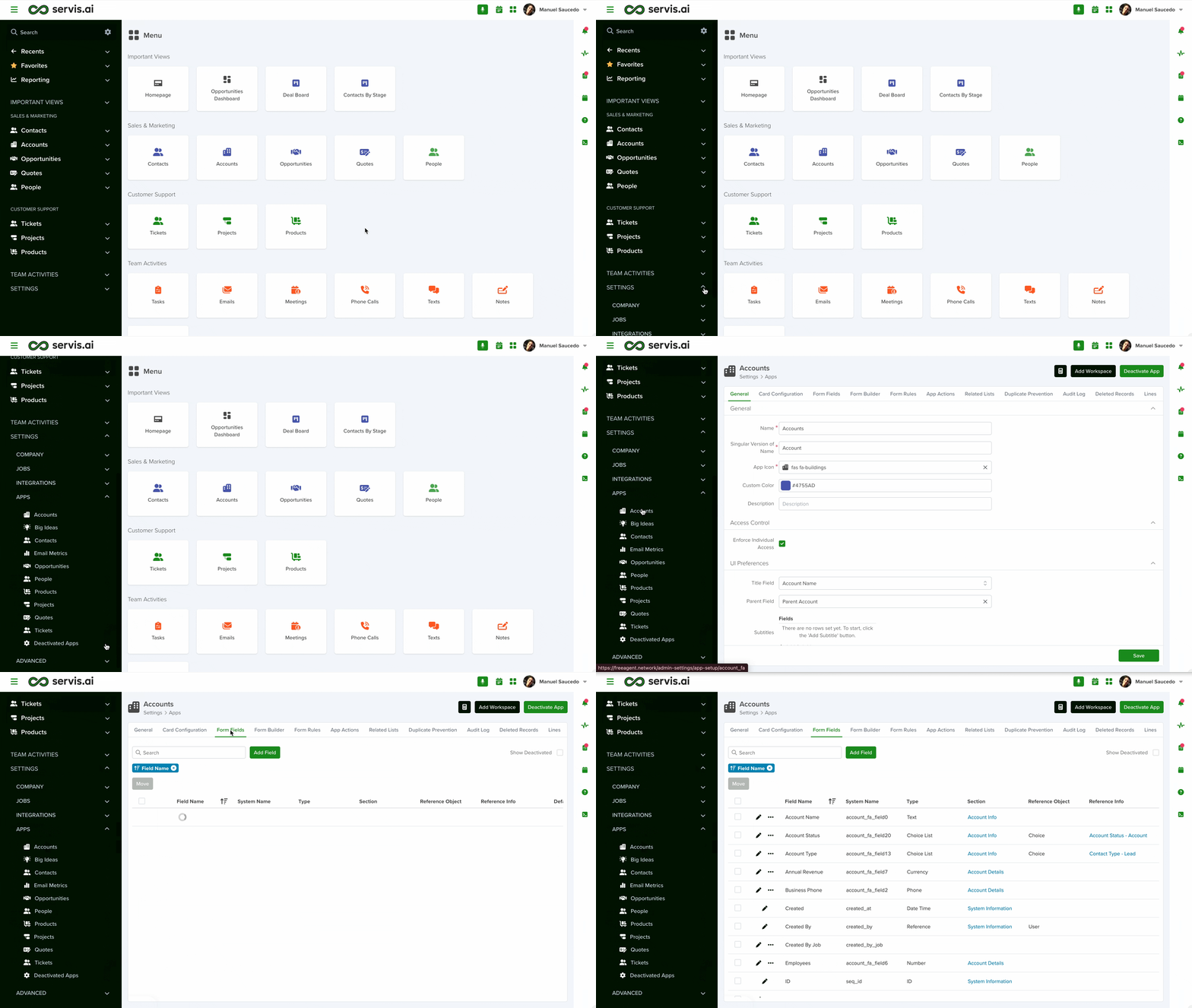
To access Form Fields, follow these steps:
- Open the Menu and go to Settings.
- Click App Setup.
- Select your desired app and choose Form Fields.
For a quicker option, use the search function and type “Form Fields”.
Create Unique Fields
Click the Add Field button to create a new field and select its type.
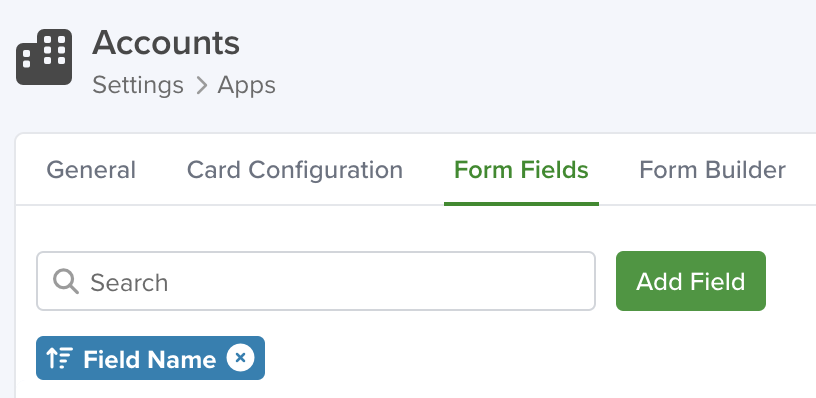
The following field types can be configured as unique:
- Phone
- Text
- URL
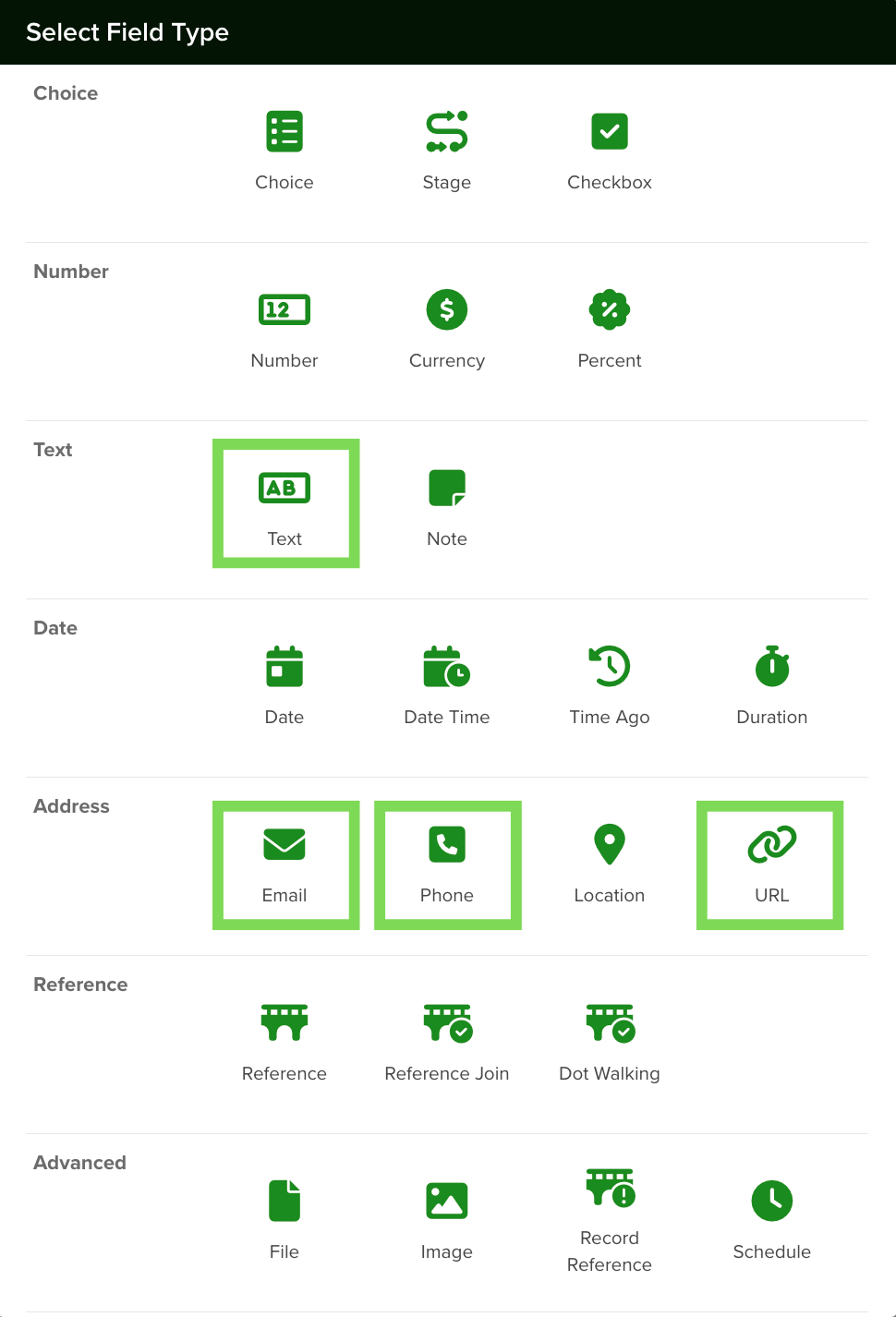
To learn more about fields and how to create them, visit:
Form Fields
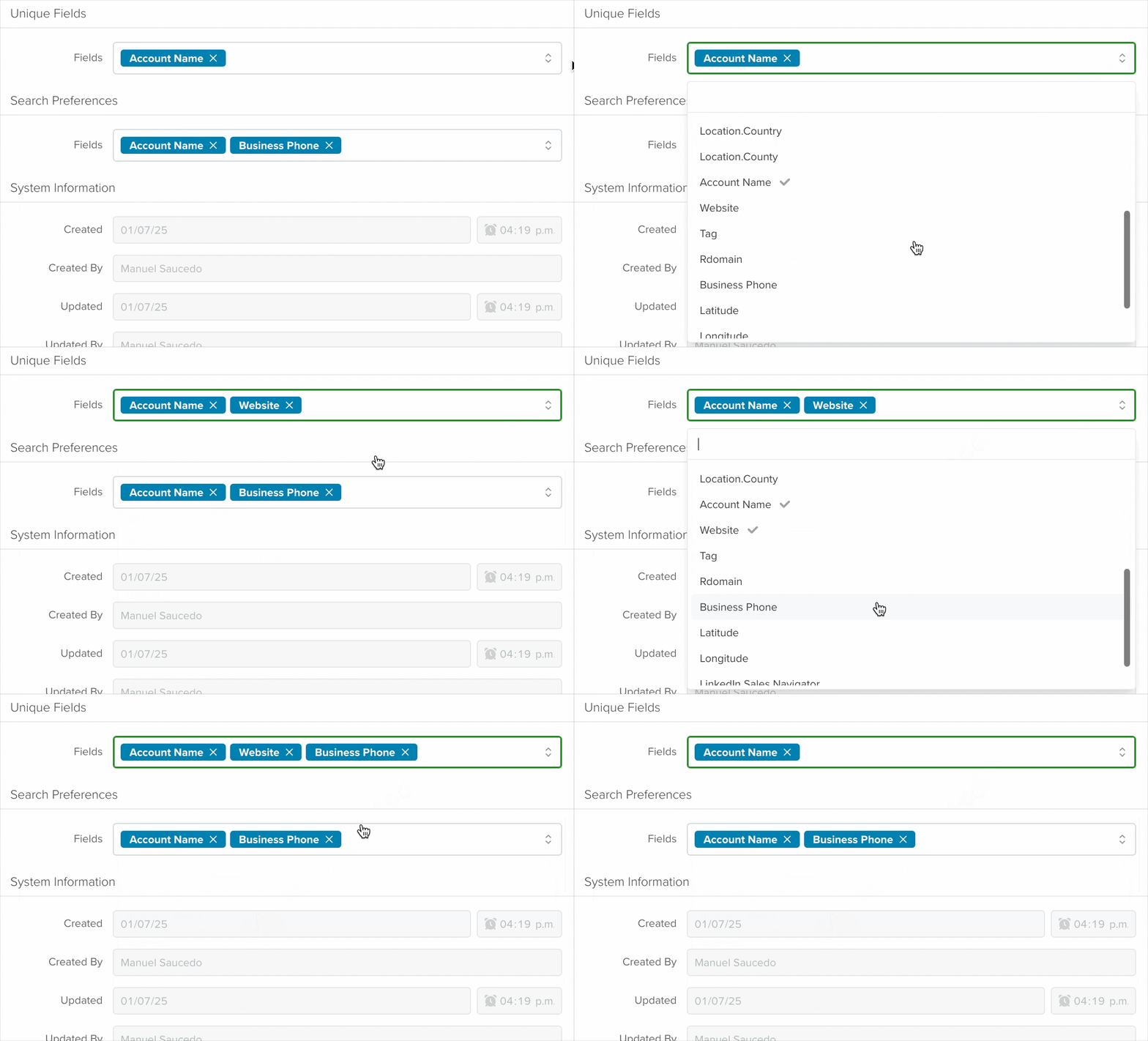
Once the new field is created, you can select it from the “Unique Fields” section to apply the setting.
Managing Unique Fields
You can control which fields are unique by adding or removing them.
To manage Unique Fields:
- Go to Settings > Apps.
- Select the desired Application.
- Open the General tab.
- Locate the Unique Fields section.
- Add or remove fields as needed.
Note: You can have multiple unique fields per app.
This allows you to customize data validation based on your application’s specific requirements.
Note: If duplicate values already exist in a field, you cannot set it as unique. Remove duplicates first.
When adding new records, servis.ai validates entries against the configured unique fields to prevent duplicates.
Using unique fields is a best practice when importing data. Learn more here: Import Your Data in servis.ai .
Note: Once a unique field is set, use it instead of the record ID during data import. If no unique field is configured, continue using the record ID.
Existing Duplicates
When marking a field as “Unique”, servis.ai checks all existing records to ensure there are no duplicates.
If duplicates are found when clicking “Save”, an error message will display the duplicated values and their frequency. This allows you to resolve conflicts before applying the unique setting.


