A lightweight way to mirror your company structure in servis.ai and control who sees what—without building per-app ACLs.
Organizations provide hierarchical segmentation (e.g., Enterprise → Business Unit → Department) and platform-wide access enforcement. Use them to:
-
Limit data visibility by org
-
Group data across orgs with tags
-
Improve reporting consistency at scale
Set Up
1) Enable Organizations
-
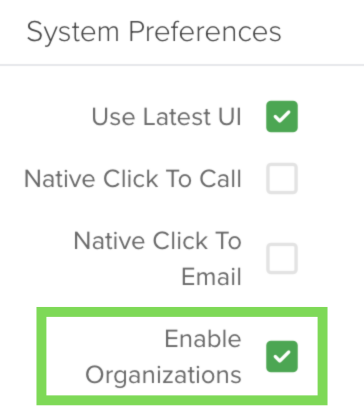
Go to System Preferences → Enable Organization.
-
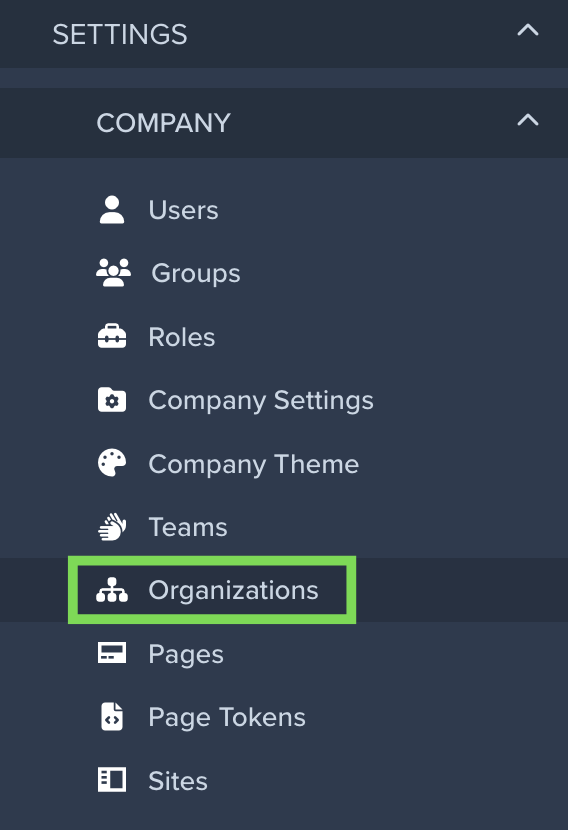
A new Organizations menu appears in the sidebar.
-
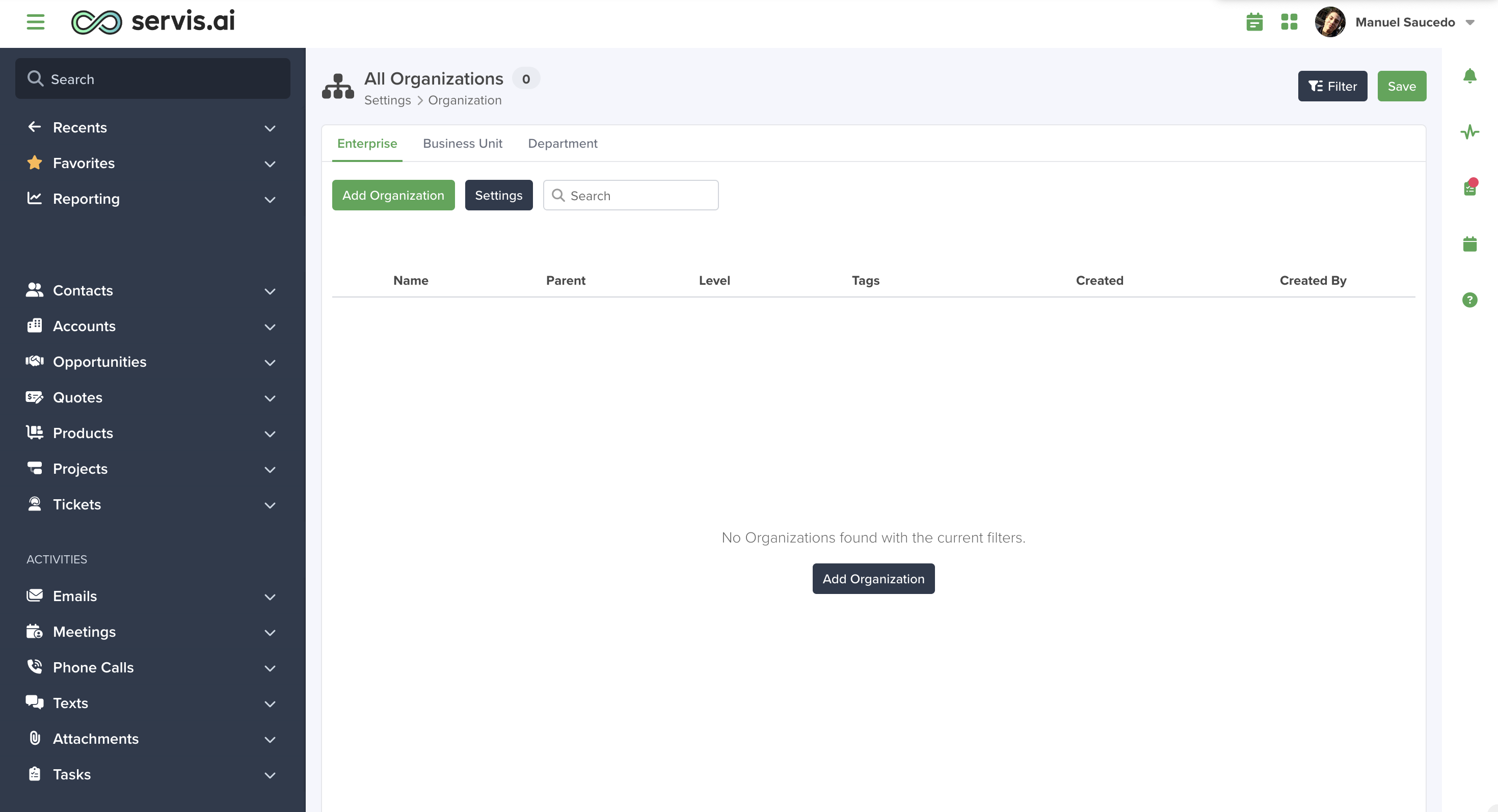
Start with an empty view and add your org layers.
2) Define the Hierarchy
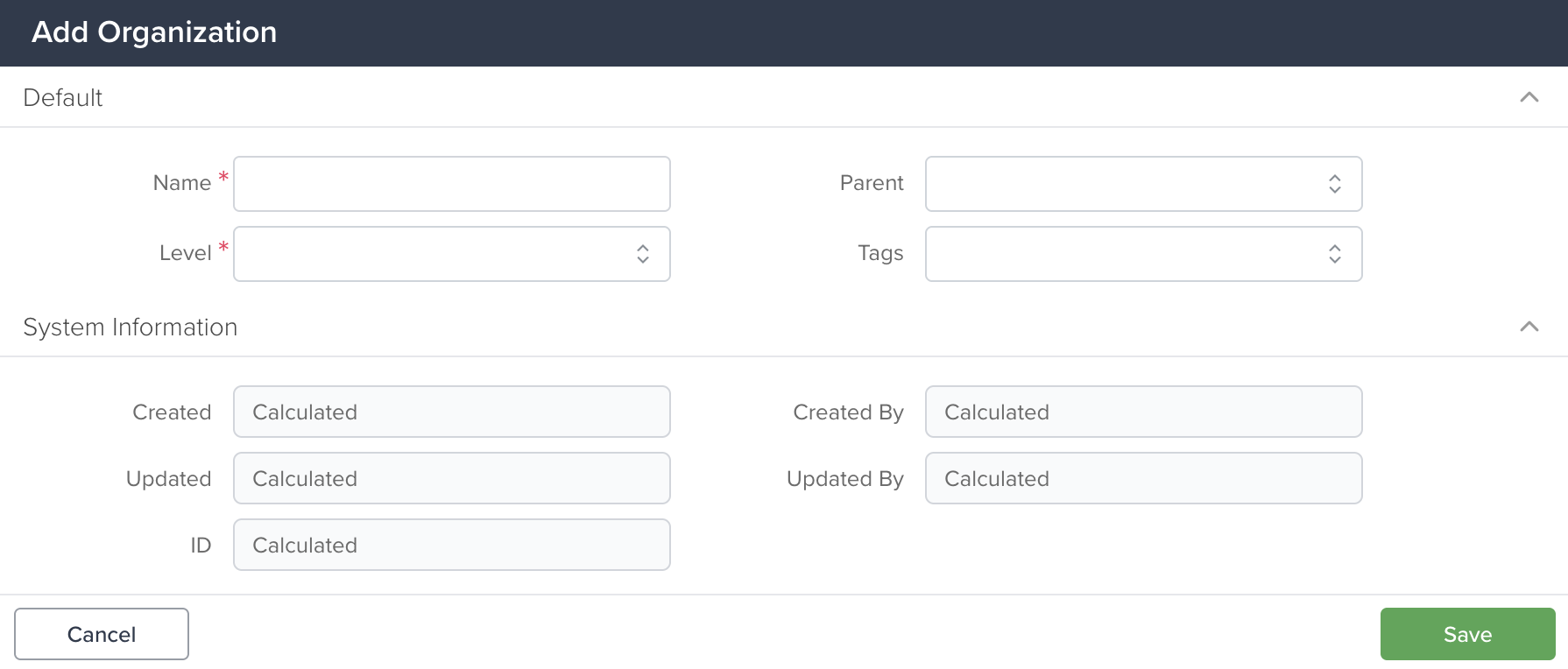
Each organization record includes:
-
Name
-
Parent (links the hierarchy)
-
Level
-
Tags (to group related units across different branches)
3) Assign Users
-
Go to Settings > Company > Users.

-
For each user, click the pencil icon to edit it:

Note: Only the Administrator role has access to everything on the CRM independently of the organization.

4) Enforce Access (Global)
-
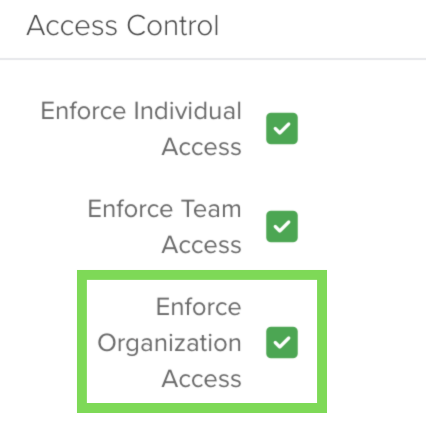
Toggle Enforce Organization Access when ready.
-
Off: users can see records system-wide.
-
On: users see only records tied to their org or its descendants.
-
-
This acts like a global ACL layer—no need to replicate ACLs per app.
Settings

Manage Levels


Manage Fields

How It Works Across Apps
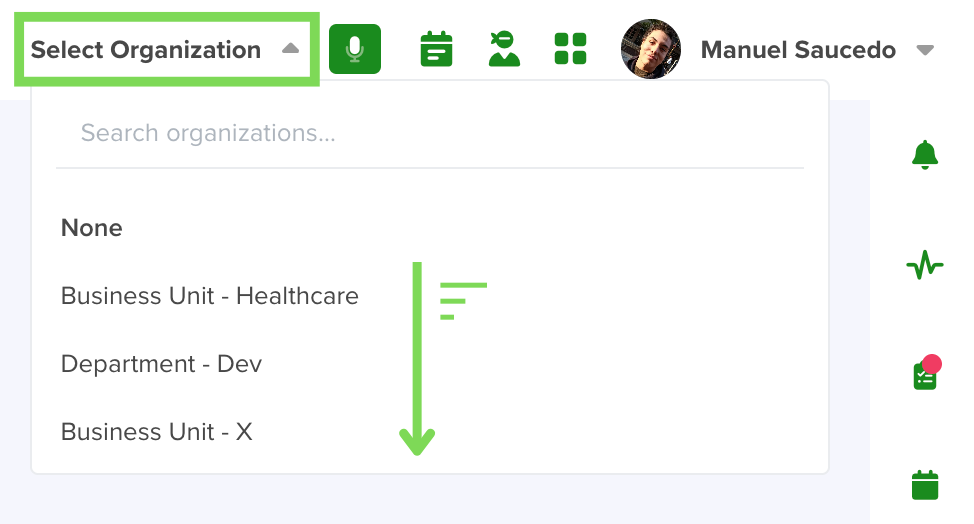
Global Organization Dropdown
-
A selector appears at the top of the UI for users with assigned orgs.
-
Switching the selector filters data across all supported apps.
-
If a user belongs to multiple orgs, the first matching org is used by default on record creation.
-
Users can switch context before creating/viewing records to ensure proper assignment.
Data Model Integration
-
Every app includes an Organization field.
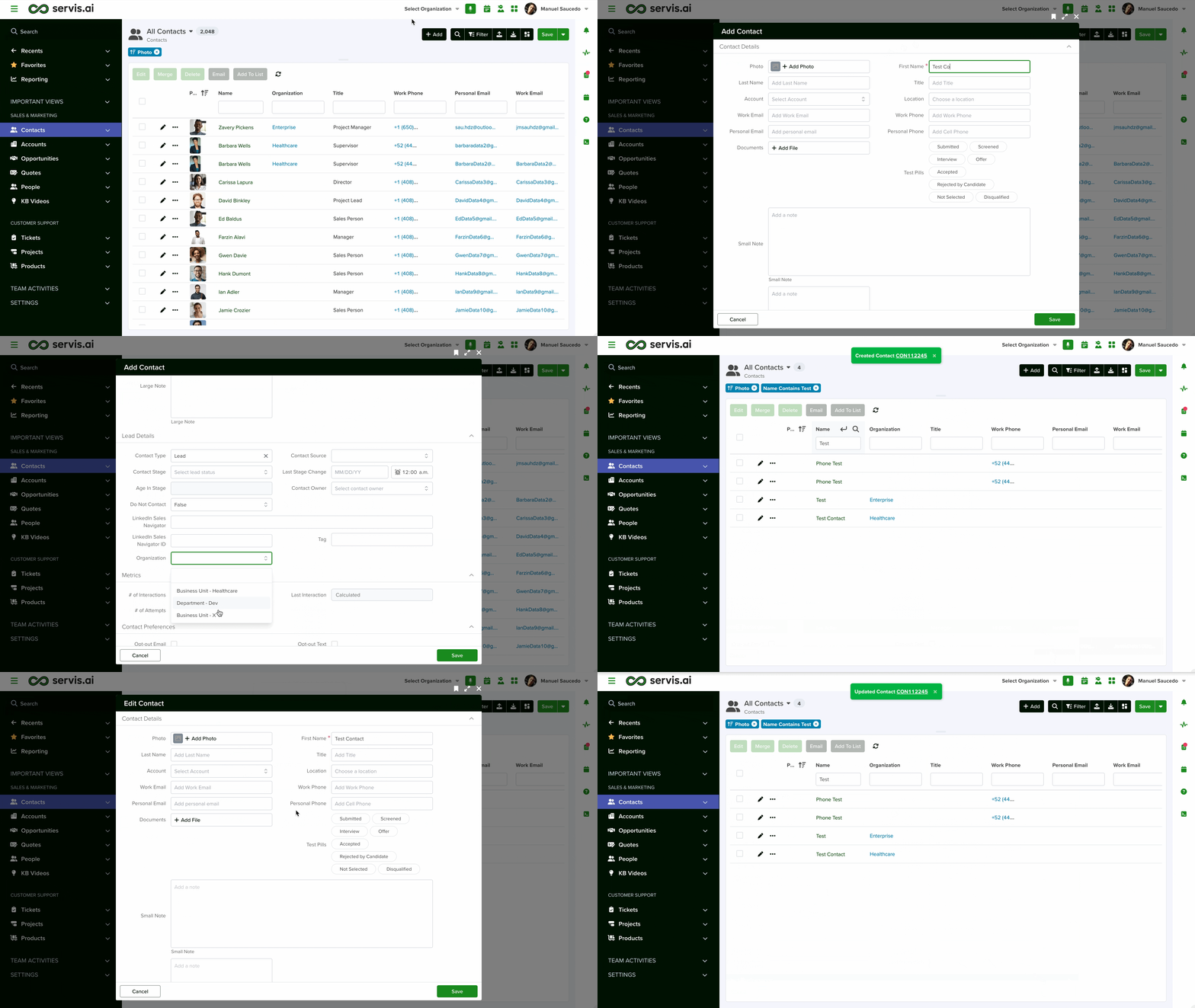
Note: By default, the Organization field isn’t placed in any section in the Form Builder, so it’s hidden, but new records still inherit the user’s current Organization automatically. To display it on the form, go to Settings → Apps → [Your App] → Form Fields, find Organization, click Edit, assign it to a section, and save.
-
With enforcement on, records automatically link to the correct organization.
-
New records inherit the org from the user’s current context.
Record Creation Behavior
-
New records inherit the active organization context.
-
If context is None, the system assigns the first matching org by default.
-
You can expose the Organization field on forms to override the default when needed.
Visibility Examples
-
Admin users: see all records, even with enforcement on.
-
Department users: see/create records only under their assigned department.
-
Cross-department tags: use shared Tags to report across multiple orgs (e.g., all healthcare units in different countries).
Reporting With Tags
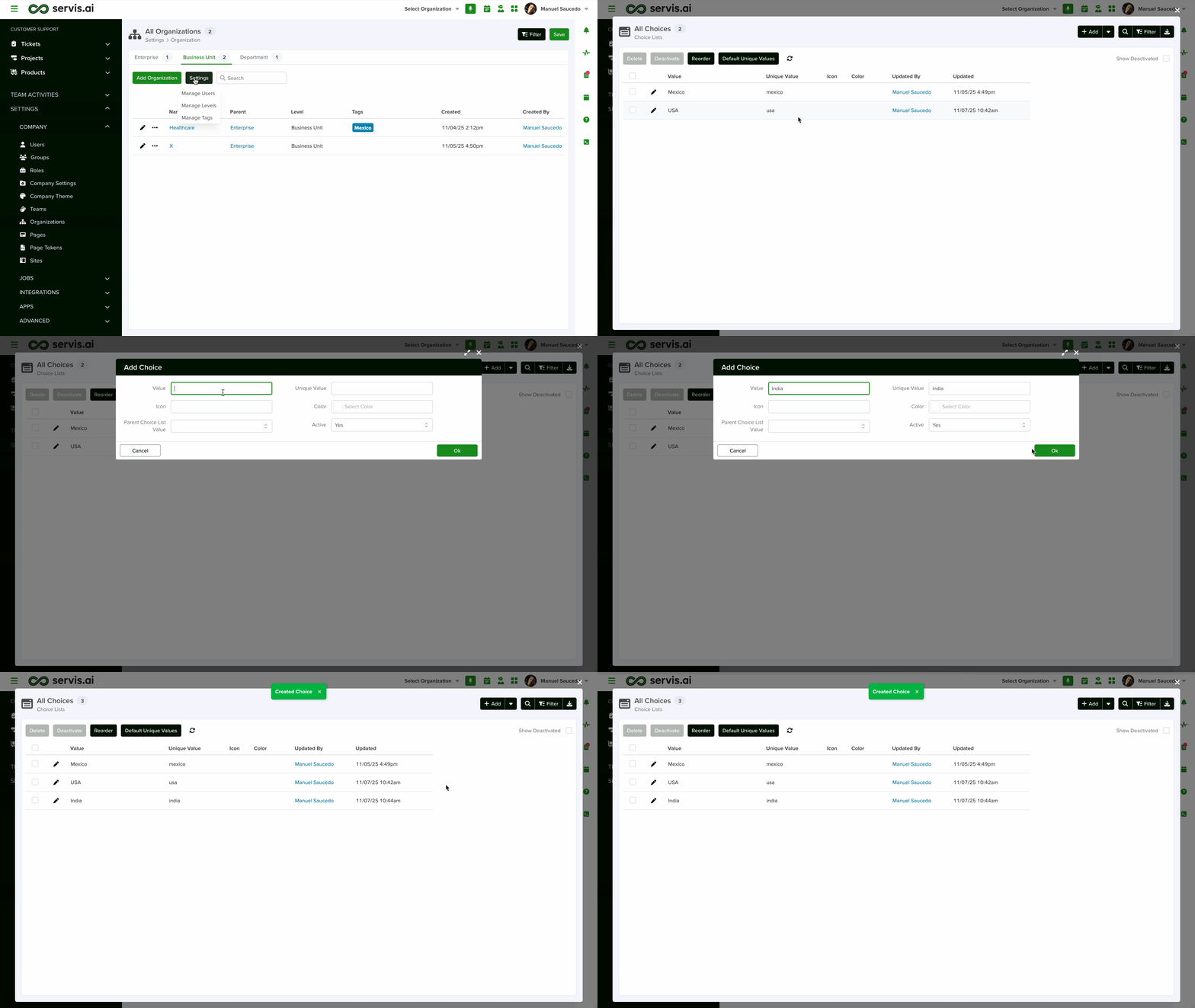
Use tags to create flexible cross-org groupings for:
-
Cross-regional sales analysis
-
Department performance tracking
-
Consolidated dashboards and reports across tagged entities
Tags can be reused across organization levels; reporting and filters will include every unit that shares the same tag.
Benefits
-
Simplified access management: one global control instead of per-app ACLs.
-
Enhanced security: clear visibility boundaries by organization.
-
Better reporting: group and filter across orgs with tags.
-
Scales with you: supports complex, multi-level enterprise structures.
Tips
-
Roll out in stages: define hierarchy → assign users → review data → enable enforcement.
-
Keep tags consistent (naming conventions) to get reliable cross-org reporting.
-
Expose the Organization field on critical forms where manual overrides are expected.



