Admins and business owners can keep their emails and meetings confidential. Simply toggle the switch, and all future emails and meetings exclusively between you and Contacts will be visible only to the Admin or Business Owner.
To enable this, navigate to Preferences under your profile and select Connected Account. Please note that this option is only visible to Admins.
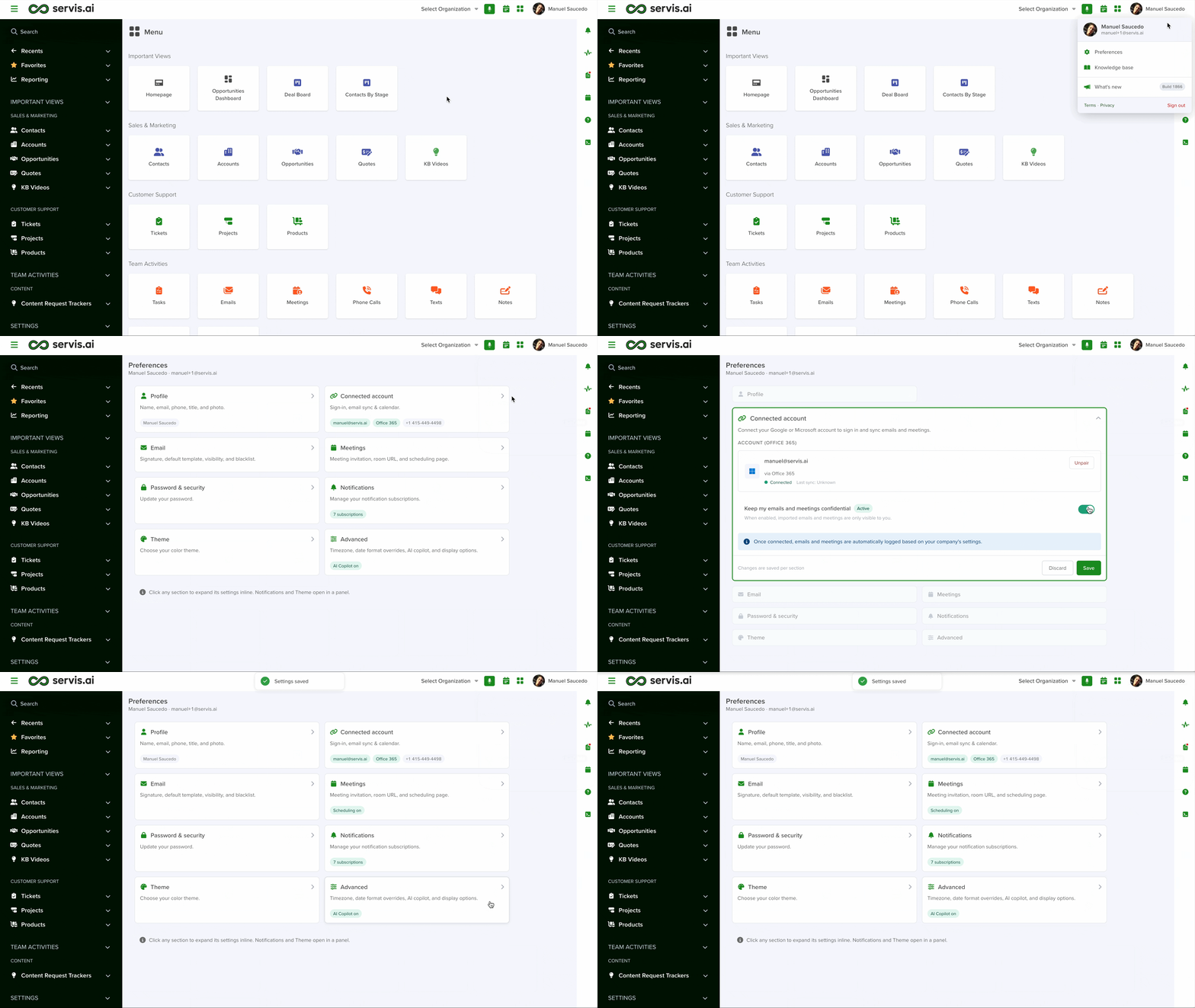
Enable this option to mark your emails as confidential, ensuring they are private and accessible only to you. If additional users are included in an email, it will not be confidential. This option only applies when the email is exclusively between you and non-users.
Note: This setting only applies to new emails and meetings created after it is enabled. Any emails or meetings created before enabling this setting will remain public.
If you later disable this setting, any records that were marked as private while it was active will remain private.


