Conditions are filters applied to records at the moment the trigger fires. Even though a trigger may fire for many records, the automation’s actions only execute for records that pass all conditions.
Each condition is a row with four parts:
|
Part
|
Description
|
|---|---|
|
Logical Operator
|
AND (this row must also be true) or OR (this row alone is enough)
|
|
Field
|
Which field on the record to check
|
|
Operator
|
How to compare (e.g., “Is,” “Contains,” “After”)
|
|
Value
|
What to compare the field value against
|
AND vs. OR Logic
- AND – Every row joined by AND must pass. Use AND to make conditions stricter.
- OR – Any row joined by OR is enough to pass. Use OR to broaden the conditions.
Examples:
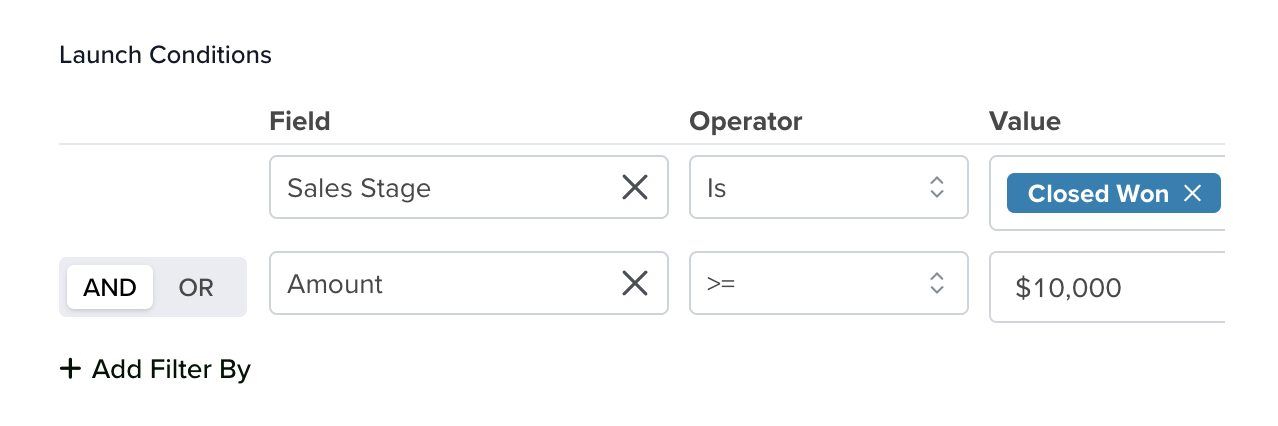
This means: “Sales Stage must be ‘Closed Won’ AND Amount must be at least $10,000.”
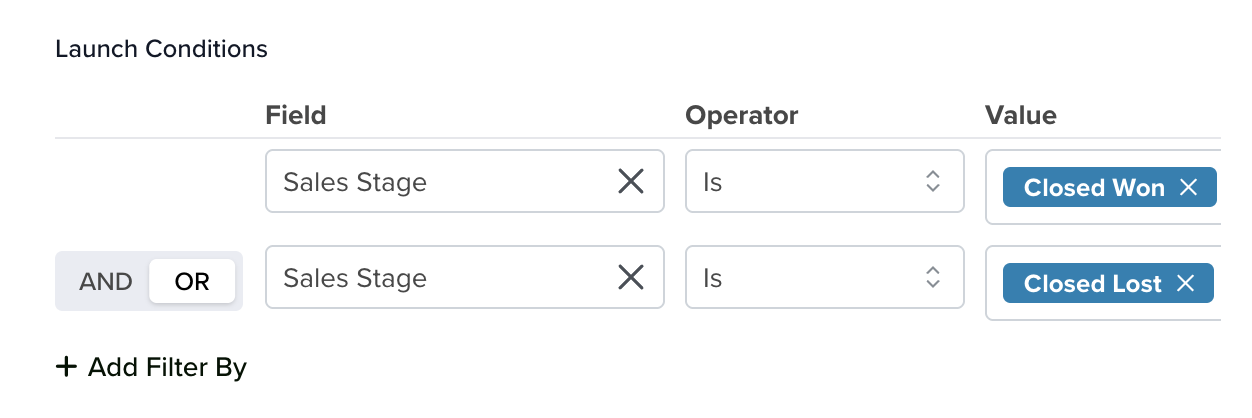
This means: “Sales Stage is ‘Closed Won’ OR Sales Stage is ‘Closed Lost’.”
Operators
Learn everything about Operators by Field Type in this dedicated article.
Exit Conditions
In addition to Launch Conditions (which decide whether the automation starts), automations can also have Exit Conditions. Exit Conditions are evaluated during the automation’s execution and cause the automation to stop if the conditions are met.
When to Use Exit Conditions
- Stop a follow-up sequence if the Contact’s Status changes to “Converted” mid-sequence.
- Cancel a reminder chain if a Task is completed before the reminder fires.
- Prevent unnecessary actions if a Deal is marked “Lost” while the automation is still running.
- Halt the automation’s flow if a critical field is cleared or changed to an invalid state.
How Exit Conditions Work
Exit Conditions use the same operators and field types as Launch Conditions. When any Exit Condition evaluates to true during execution, the automation stops and no further actions run.


