The Assign Record action makes it easy to automatically assign Leads, Contacts, Accounts, Deals, Tickets, and more in your servis.ai automation. Whether you want assignments based on conditions or evenly distributed across your team, this action provides a flexible solution.
You can define the field where the assigned user will be stored and choose between assignment styles like Rules (for logic-based routing) or Round Robin (for balanced distribution). This tool helps save time and keeps your team organized.
How to Set Up the Assign Record Action
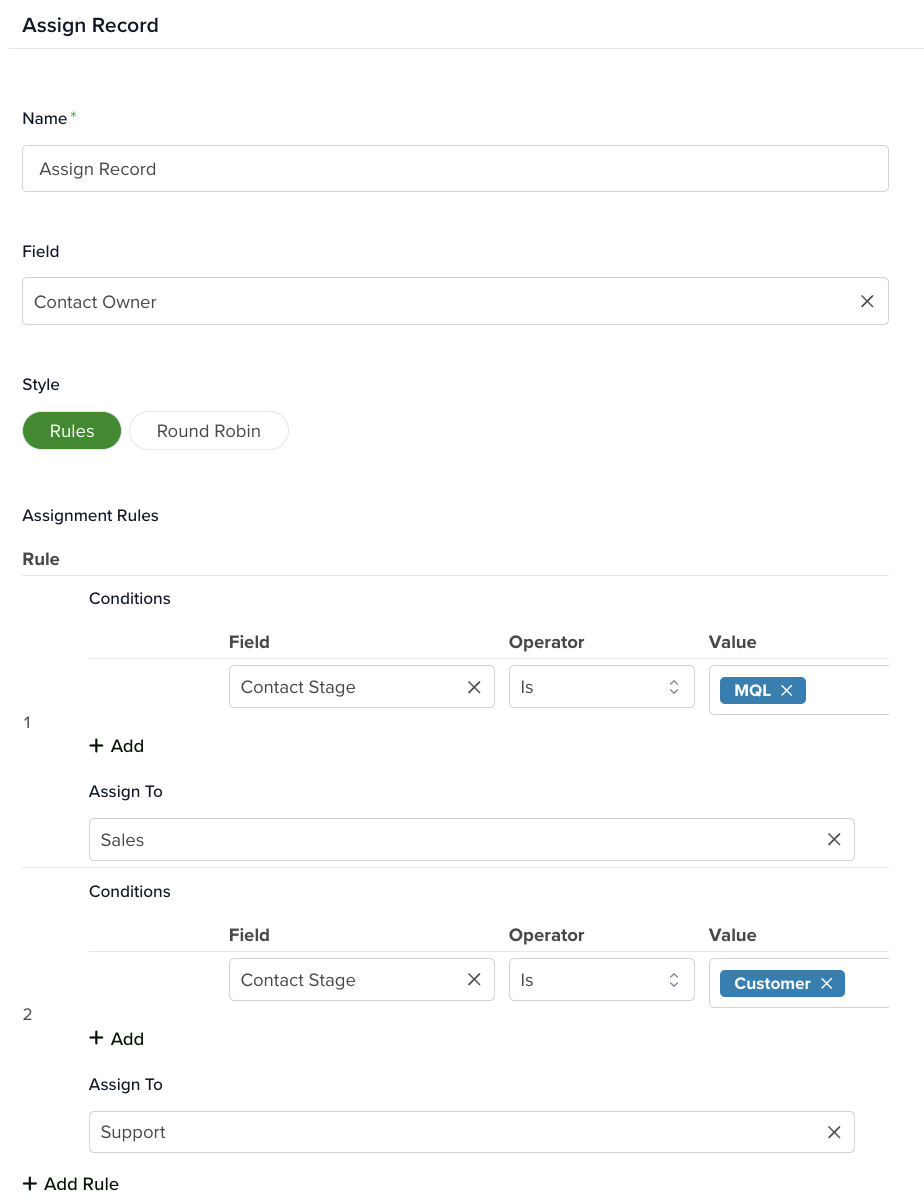
Name: Enter a name for the action so it can be easily identified later.
Field: Select the field where the assigned user will be stored. This field determines who will be set as the assignee.
Style: Choose how the assignment will be handled:
- Rules: Allows you to create conditional logic for assigning users based on defined criteria.
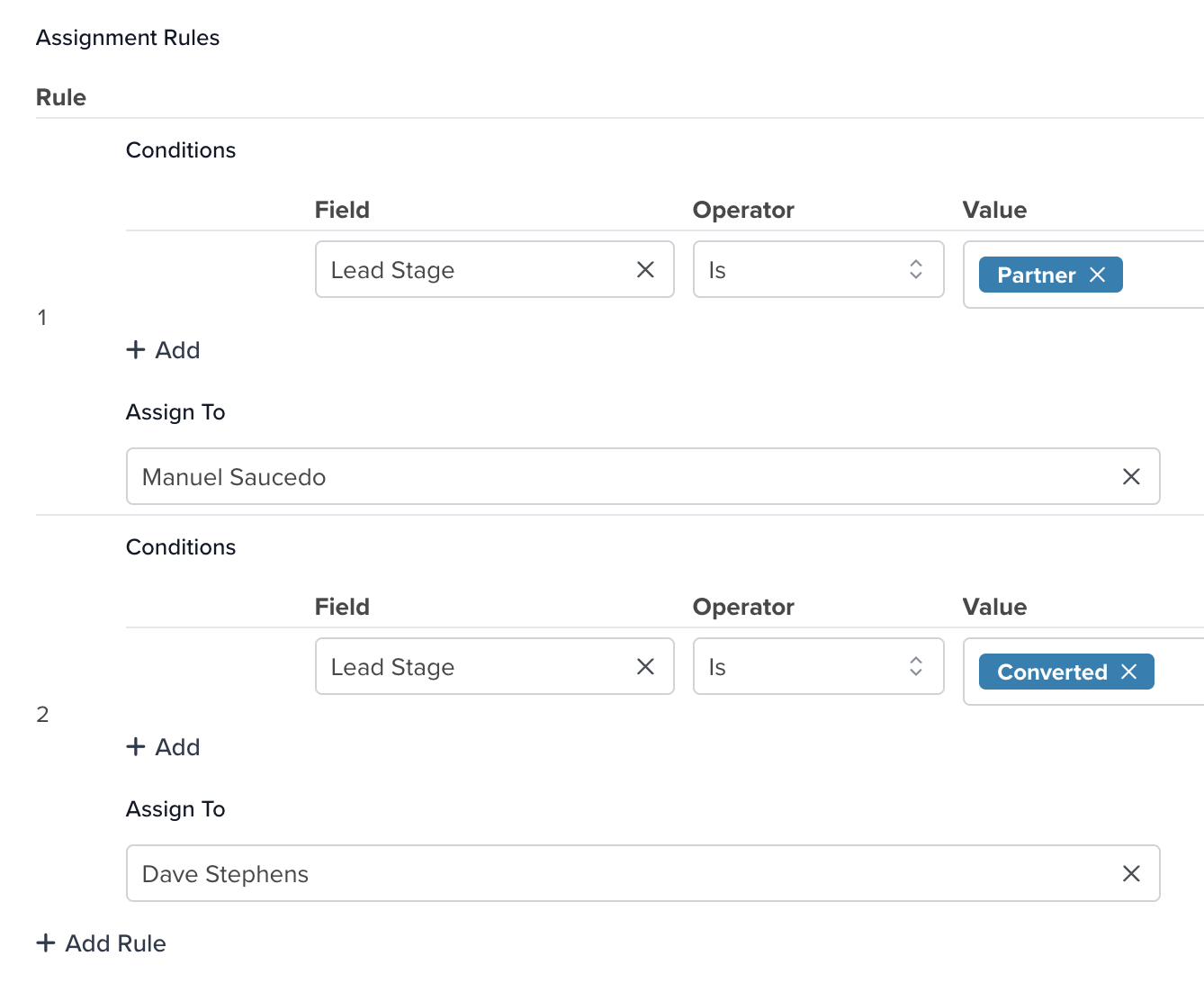
For example, you can define multiple conditions:
- If the Lead Stage is Partner, assign the record to one user.
- If the Lead Stage is Converted, assign it to a different user.
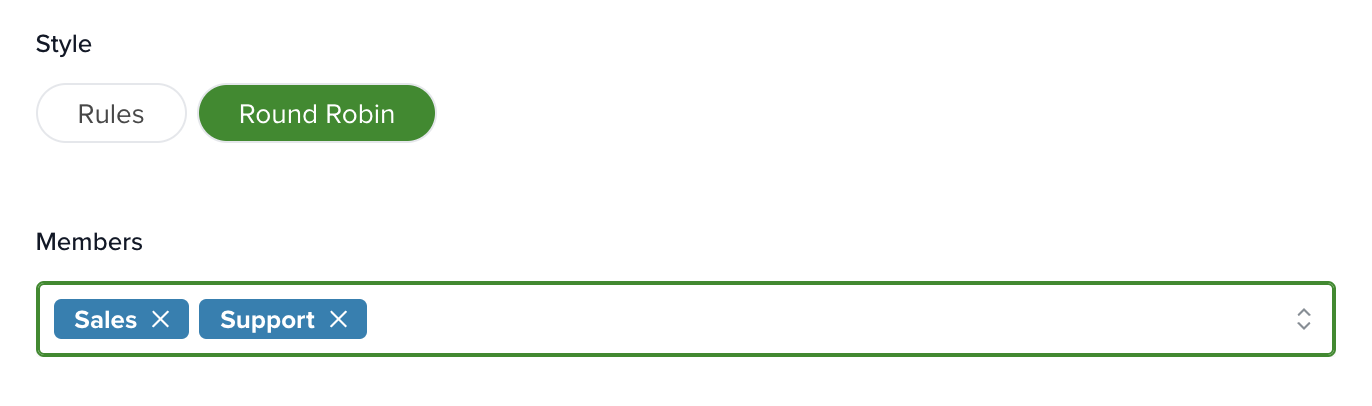
- Round Robin: Evenly distributes records or tasks across selected users or teams. This approach focuses on fairness and workload balance.
How It Works:
- Choose one or more user groups (e.g., Sales, Support).
- Each new record is assigned to the next user in line.
- The system cycles through users continuously to ensure even distribution.
When to Use It: Round Robin is ideal when there are no special conditions for assignment. It works well for distributing support tickets or sales leads evenly across a team.
Learn more about automation actions: Read this article.


