The AI Lead Score feature helps streamline your workflow by automatically evaluating leads within your Activity Timeline. Activated through an App Action on a record’s Detail Page, it uses AI-driven analysis to assess the potential value of leads such as Contacts and Accounts.
It can also be used to trigger automations.

By default, the automation is triggered through an App Action, which we will configure next.

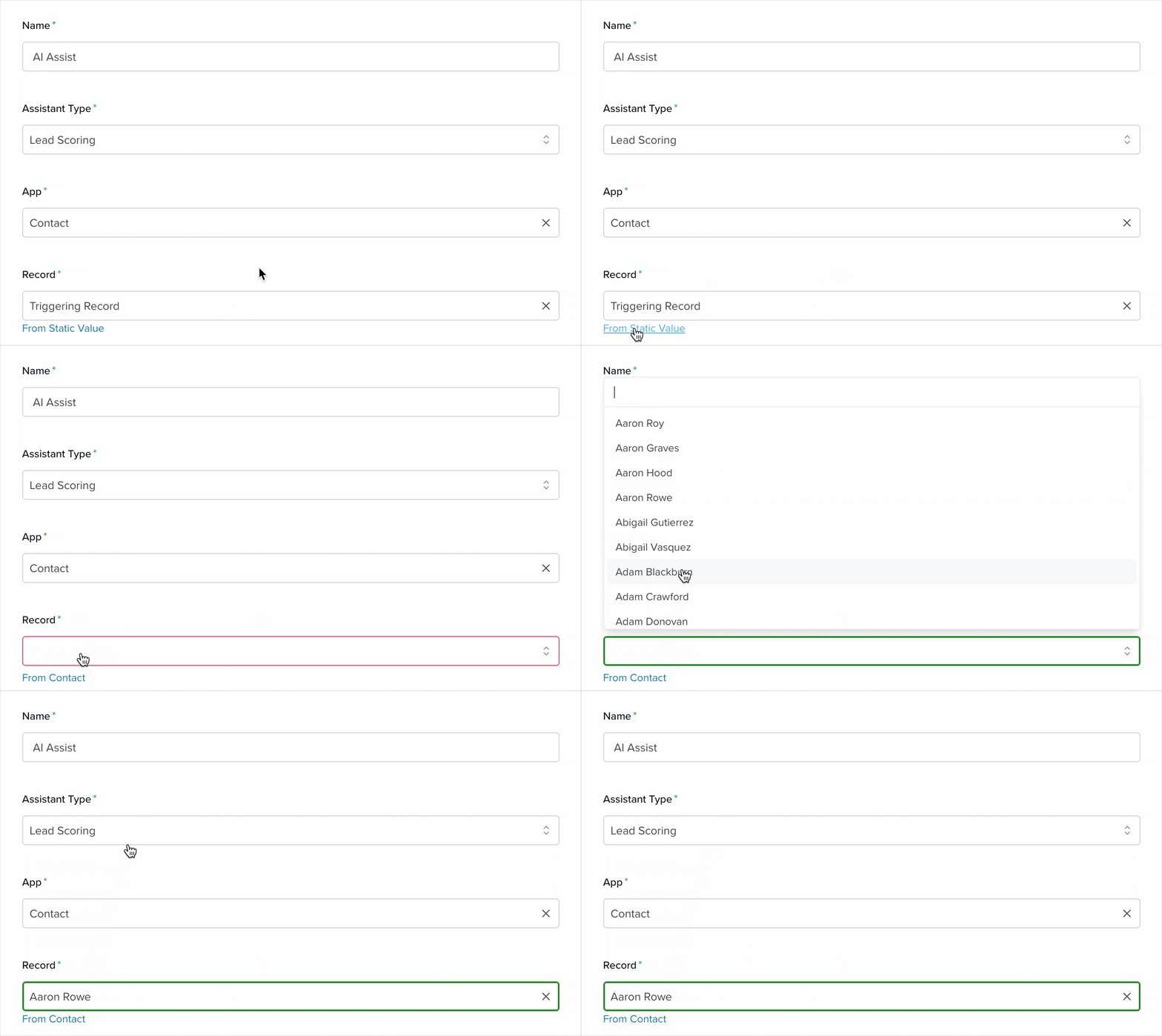
Name (Required): Enter a name for the action.
Assistant Type: Servis.ai supports the Lead Scoring assistant type, which analyzes leads to determine their potential value. This helps guide whether a lead is worth pursuing and suggests the best next steps.
App: Select the app that will receive the assistant’s evaluation.
Record: This field has two modes:
By default, it is set to Triggering Record, meaning the record where the App Action is executed will trigger the automation.
Alternatively, selecting From Static Value lets you choose a specific record manually.
Once the automation is configured, you’ll need to create the App Action:
Go to Settings > Apps > [Selected App], then open the App Actions tab and click Add App Action.

In this modal, you can name the action and add an Action Hint, which appears when hovering over it. You can place the action anywhere, but we recommend the Detail Page for consistency.
Be sure to set the Type to Automation, then select the automation you just created.
You can also configure conditions or customize user feedback to further tailor how the action behaves. Learn more about App Actions here.
Now you can see it in action.
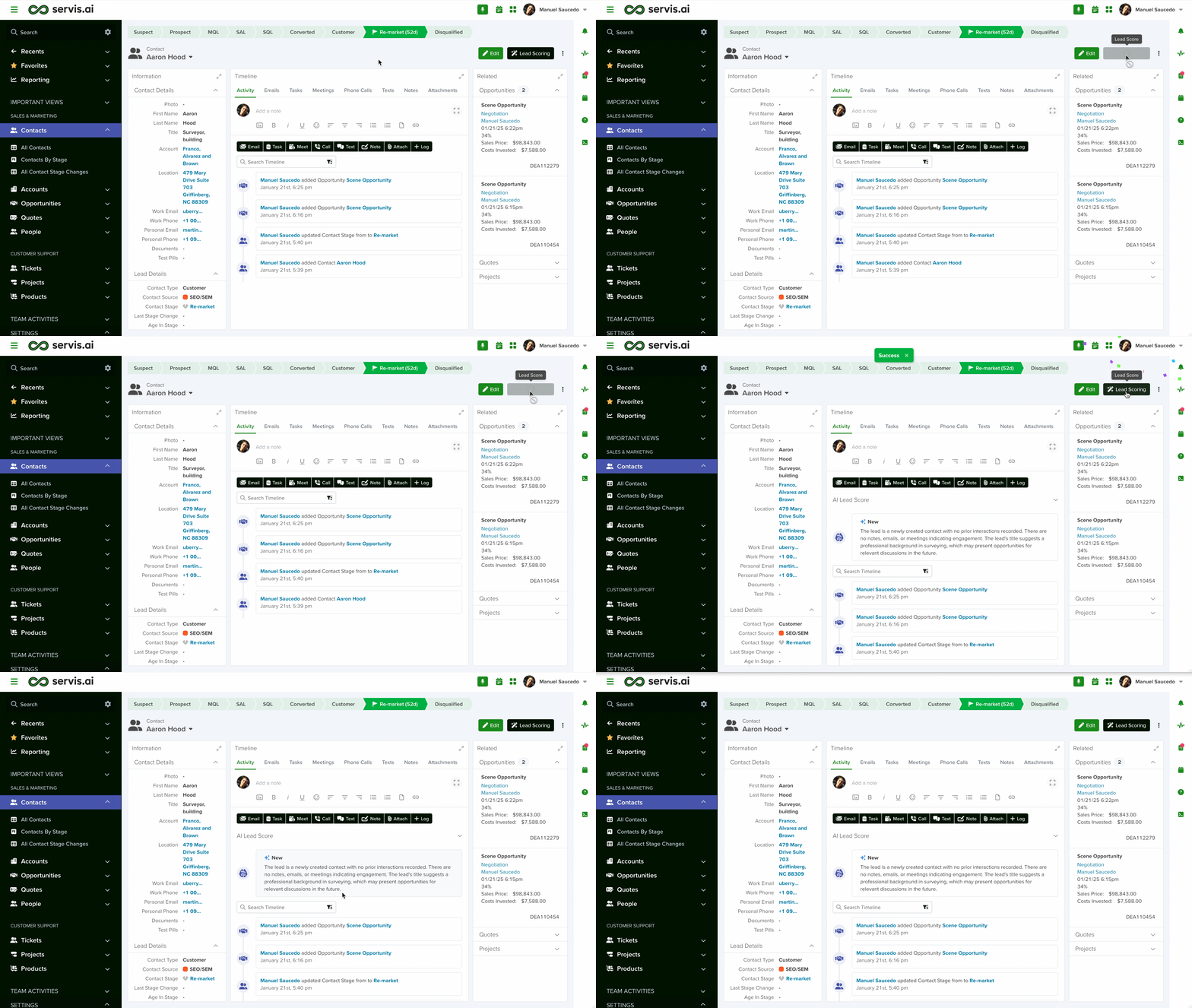
The result will depend on the data contained in the selected record.

Learn more about automation actions: Read this article.


