By enabling your own Email Domain, emails sent through servis.ai are more likely to be delivered to your contacts’ inboxes instead of spam folders. This feature also includes health checks for your domain.
Configuring your Email Domain also allows you to enable Email Tracking. With this feature, your organization can access Email Engagement and Email Metrics for all emails sent through servis.ai.
You’ll be able to see when emails are opened and whether links were clicked. This insight helps you improve your follow-up timing or adjust your call-to-action if engagement is low.
User Permissions: Only Administrators can use this feature.
Navigate to Email Domain
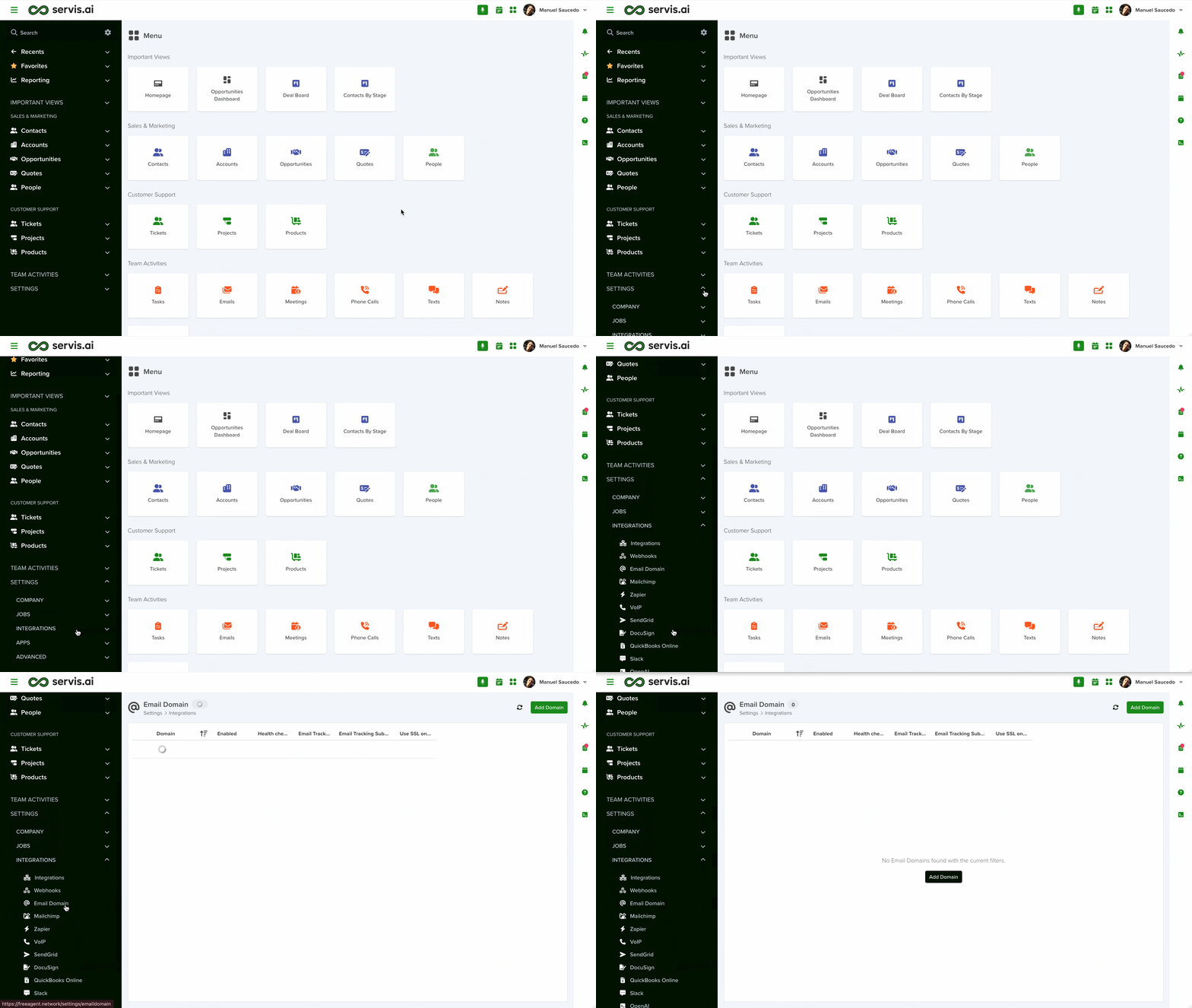
Open the menu and go to Settings > Integrations > Email Domain. You can also use the search function and type ‘Email Domain’.
Note: You can enable multiple Email Domains in your servis.ai configuration. This is especially useful if your team uses multiple email domains. Be sure to follow the process below for each domain you want to add.
Add New Email Domain
Click “Add Domain”.

The creation window will open.
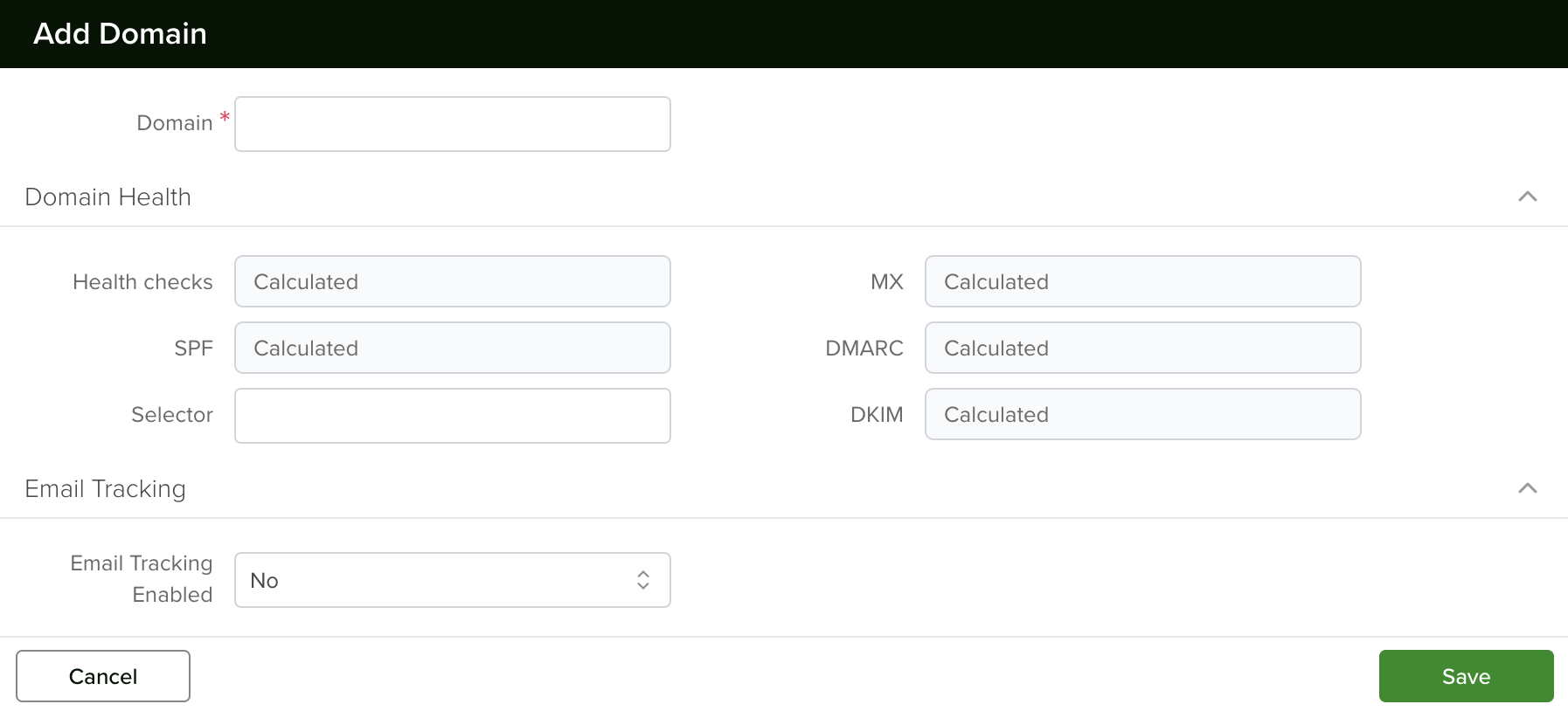
You will need a custom Email Domain to enable this feature. The required fields are:
| Field | Description | Example |
| Email Domain | Your company’s email domain | freeagentsoftware.com |
| Selector | A DKIM selector identifies the key used to sign emails. It is defined when DKIM is set up for your domain and can be any unique string. |
To find your DKIM selector, send an email to yourself and view the original message (or full headers). Look for “DKIM-Signature” and locate the s= value. 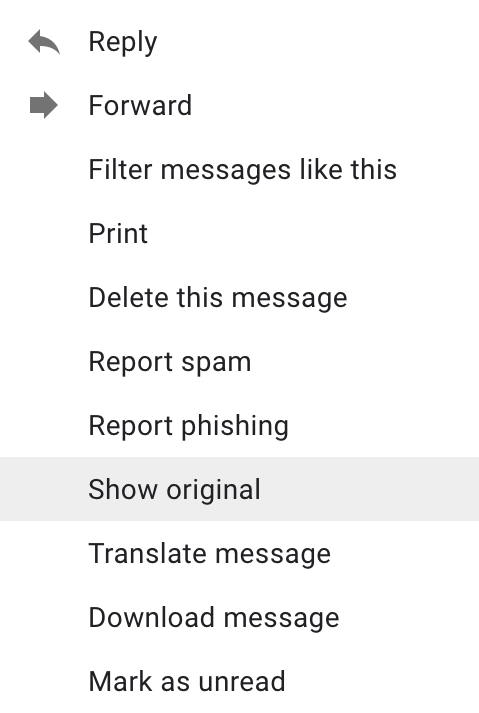
|
| Email Tracking Enabled | When enabled, all emails sent through servis.ai will be tracked going forward. You must also specify a tracking subdomain and SSL setting. |  |
Note: For Office 365, you must use selector1 or selector2.
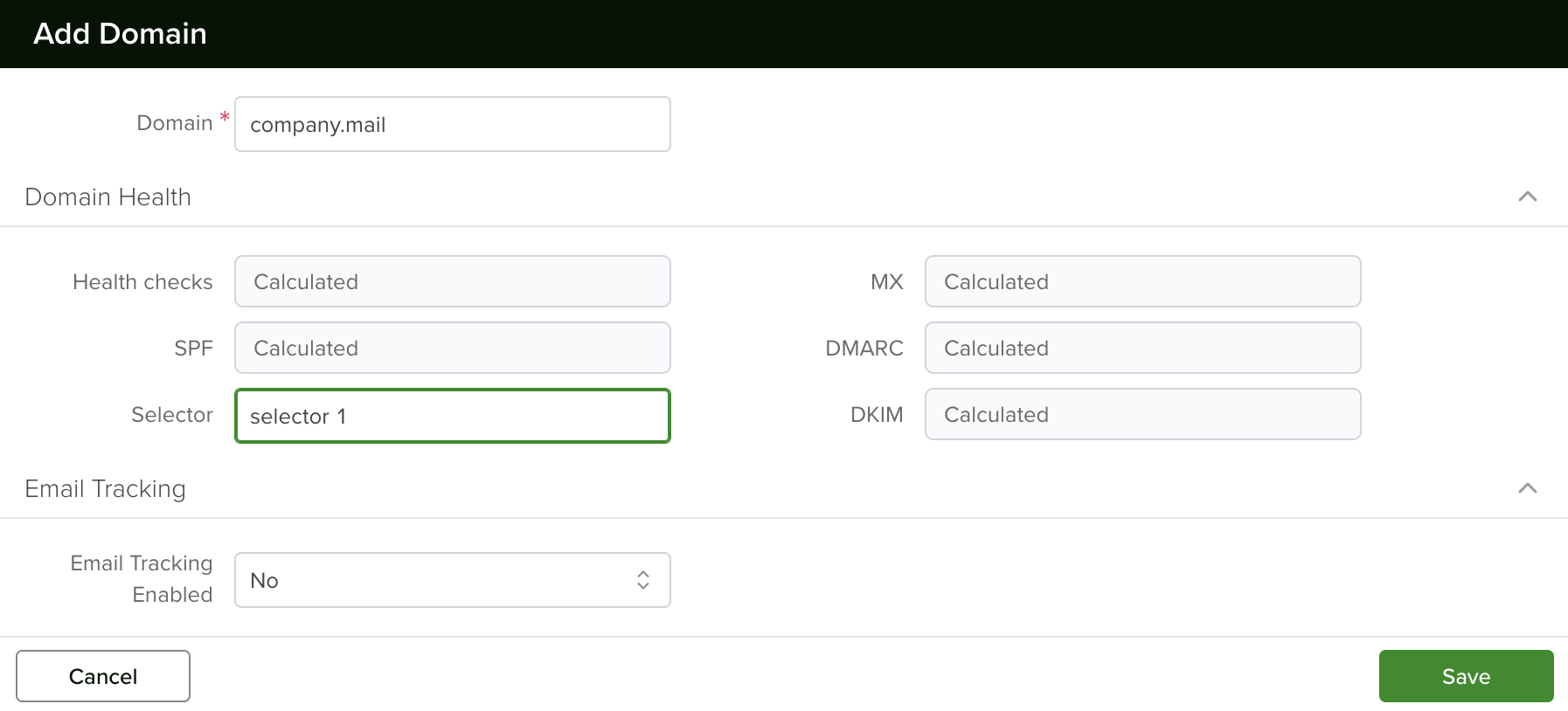
Health Checks
After configuring your Email Domain, the system performs health checks. Ensure your configuration includes:
- MX – Mail Exchange
- SPF – Authorized senders
- DMARC – Handling suspicious emails
- DKIM – Email signature
If your domain or subdomain is not configured correctly, the health check will fail and display an error. Learn more in the Possible Error Messages section.
We recommend having an IT Manager complete this configuration.
If everything is configured correctly, your Health Check status will show ‘Passed’.
Enable Email Tracking
To enable Email Tracking, you must create a subdomain. You can choose from two options:
Create a CNAME
Configure a CNAME in your domain that points to freeagent.network. Use this as your tracking subdomain in servis.ai.
In this case, set ‘Use SSL on Email Tracking’ to ‘No’.
Create a CDN (Content Delivery Network)
This option allows you to enable SSL for your tracking subdomain.
Configure a CDN with an SSL certificate using the same domain as your email. Use this as your tracking domain and enable SSL in servis.ai. Any CDN provider (Cloudflare, AWS CloudFront, etc.) will work.
In this case, we recommend setting ‘Use SSL on Email Tracking’ to ‘Yes’.
Email Tracking Subdomain
Enter only the subdomain name—not the full URL. The system automatically appends the domain.
For example, if your subdomain is subdomain.domain.com, enter only ‘subdomain’. Entering the full URL will result in an error.
Possible Error Messages
The subdomain does not exist or the DNS record is not yet available.

Verify that the Email Tracking Subdomain contains only the subdomain name and not the full URL.
If you just created it, wait a few minutes and try again.
Google Workspace and Office 365
If you are using Google Workspace or Microsoft 365, refer to the following guides:


